|
Open the Lords Mobile game on your device; |
|
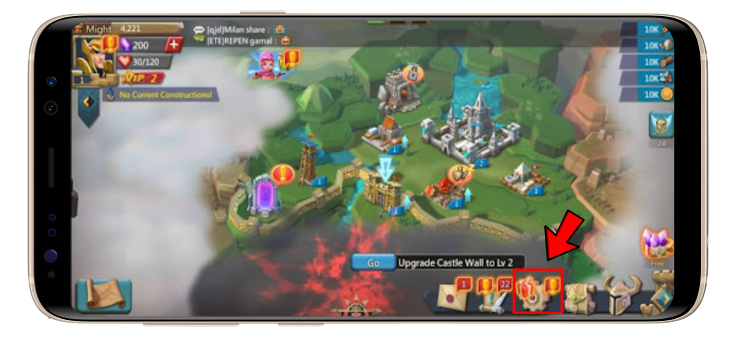
1. Click the "Setting" or "Gear" button on the lower right corner of your screen; |
|
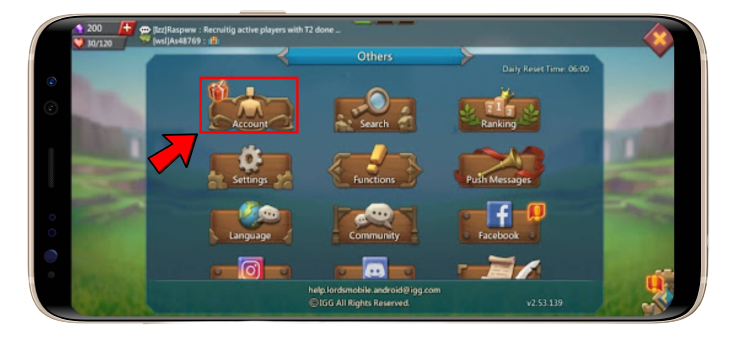
2. Click on the "Account" button; |
|
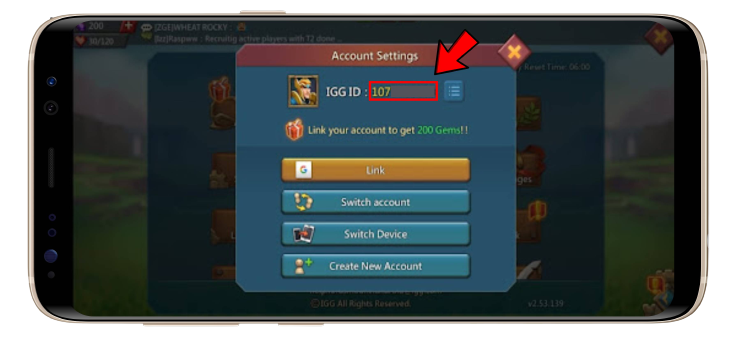
3. You will find your Lords Mobile Player ID. |
Where Can I Find My Lords Mobile ID?